Summary (TL;DR)
73% of students struggled to find answers. Search-first design changed that. I designed a self-service support solution that prioritized search functionality and subject-based discovery, putting answers at students' fingertips.
In 2024, I designed a self-service support solution for the University of Sheffield's Student Support Team (SSiD). Through survey research and focus groups, I discovered that students—especially international students—couldn't navigate the existing system effectively. By prioritizing search functionality and subject-based discovery, I created page layouts, interaction states, and a complete UI system that put answers at students' fingertips.
Note: Specific features and designs remain the University's intellectual property. This case study focuses on the design process using representative facades.
The Data: Navigation Chaos and Abandoned Searches
Working with the SSiD team, I analyzed user behavior data alongside session recordings and support ticket patterns. This analysis revealed a critical student experience challenge: students couldn't navigate the support system effectively, which directly drove higher support volumes and student frustration.
Connected Questions
How different query types connect to multiple related topics
Key findings included:
- 73% of users couldn't find what they were looking for, showing the platform failed most students
- Average time on site: 8+ minutes per session, yet students still left without answers
- Students needed answers to 3-4 related questions per visit, not just one—but the system treated each as isolated
- Search functionality had a 68% failure rate, with students reformulating queries multiple times before giving up
- No clear success metric existed to determine whether a student actually found their answer
The real kicker? We couldn't definitively say when a student succeeded. Without a metric for discovery success, we were designing in the dark.
The Discovery Failure Funnel
Where students drop off in their search for answers
Understanding the Problem: How Students Actually Search

Before jumping to solutions, I needed to collaborate with the SSiD team to understand how students thought about their problems—whether they were searching by topic, navigating by page layout, or guided by content structure and logic.

Explore content that surfaces key topics from the home page in a more discoverable way.

Revise the page layouts to help users quickly find the content they need.

Improve the search so it is easy to discover, efficiently and returns accurate results.

A significant gap exists between user intent and article discoverability.

How might we redesign information architecture to improve discovery outcomes?
Insights from surveys, focus groups, collaborative efforts and exploratory research conducted during problem scoping revealed the following findings...
What I discovered:
- Students think in subjects, not categories ("visa questions" not "immigration services")
- Search was the preferred entry point—not browsing menus or reading pages
- International students needed context and examples, not just policy text
- Mobile usage was significant, especially for urgent queries
- Students wanted to know if their question was already answered before contacting support
The message was clear: students needed a faster path to answers. But what would that look like in practice?
From Research to Design: Subject-Based Discovery
Armed with insights, I mapped the student support journey from question to answer. The existing flow had too many decision points, unclear categorization and dead ends.
I sketched multiple approaches to restructure information architecture around how students actually think:
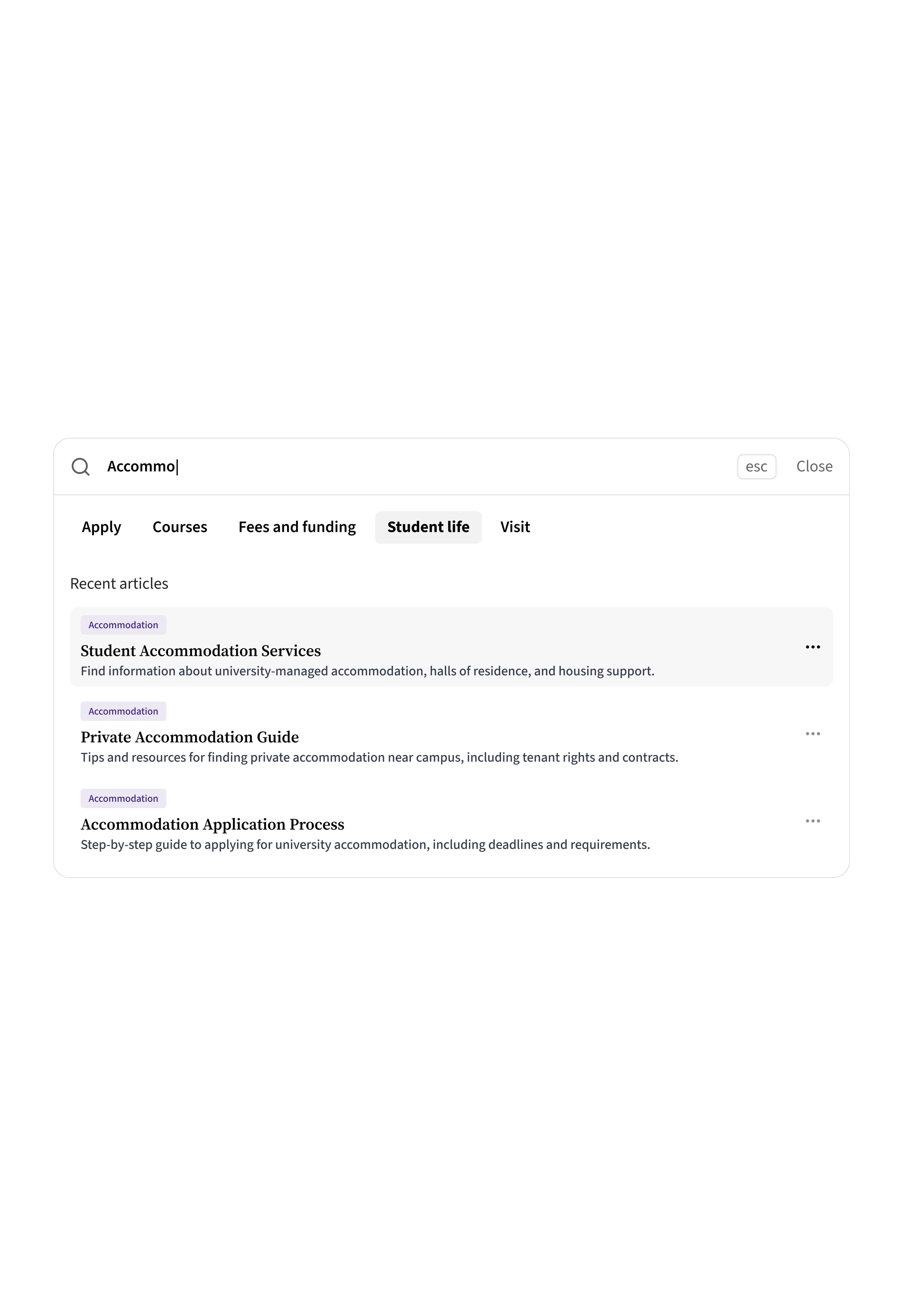
- Search-first design: Prominent search bar on every page
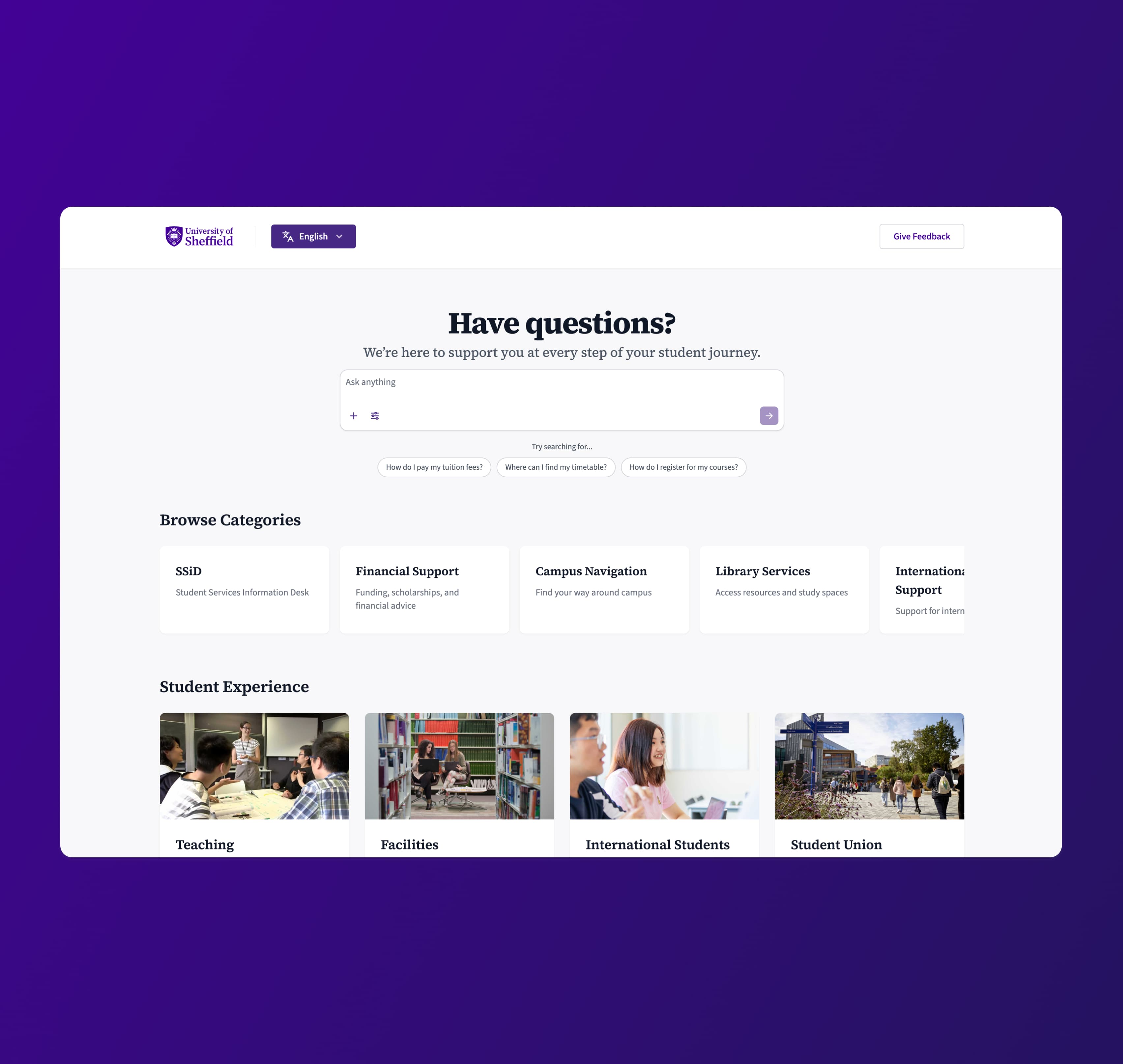
- Subject-based navigation: Organized by student language, not administrative structure
- Smart filtering: Quick filters for student type, urgency, and topic
- Progressive disclosure: Show summaries first, details on demand
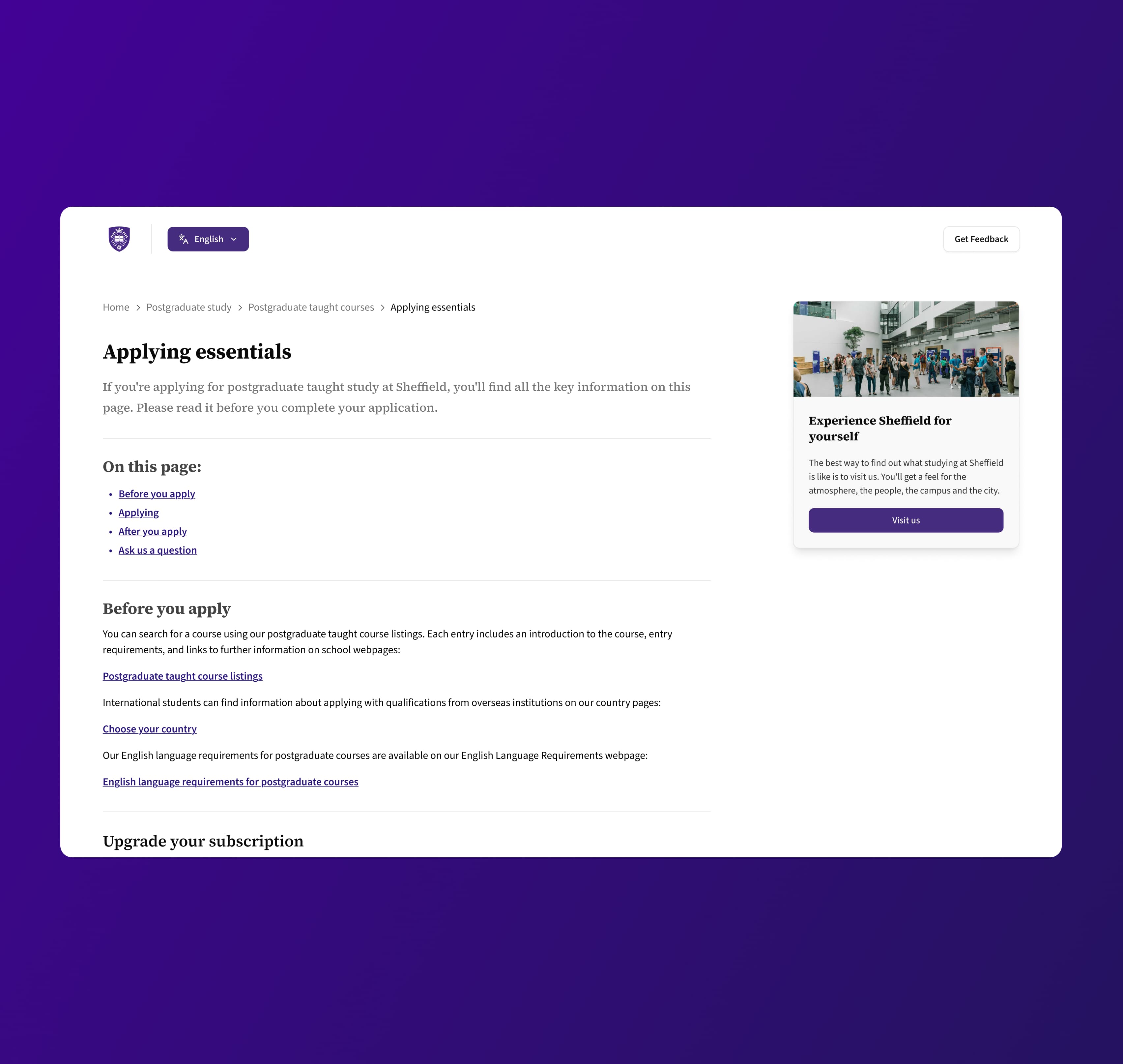
Working through wireframes and interaction states, I designed:
- Page layouts that prioritized search and common questions
- Interaction states for loading, errors, empty states, and success
- UI components that formed a cohesive, accessible system
- Mobile-responsive patterns for students on the go
Each design decision traced back to research findings. Search wins? Make it prominent. International students need context? Add examples and plain language. Students on mobile? Optimize for thumb-friendly interactions.
Implementation: Bringing the System to Life
I delivered comprehensive UI specifications including:
- Complete page layouts for key support scenarios
- Interaction and state documentation
- Component library for consistent implementation
- Accessibility guidelines for WCAG compliance
- Mobile and desktop responsive breakpoints

The designs balanced student needs with the realities of university support: some questions need human intervention, policies must be communicated clearly and the system needed to scale across multiple departments.

Results and Outcomes
While final metrics are the University's property, the new system addressed the core problems identified in research:
✓ Search-first design gave students immediate access to answers
✓ Subject-based organization matched student mental models
✓ Clear interaction states reduced confusion and abandonment
✓ Accessible, mobile-friendly UI served all students effectively
The SSiD team now had a foundation to reduce support tickets, empower students with self-service and free up staff time for complex cases requiring personal attention.
What's Next
This project laid the groundwork for continuous improvement:
- Analytics integration to track search success rates and identify gaps
- Content optimization based on actual student queries
- Multilingual support to better serve international students
- AI-assisted search to handle natural language queries
- Feedback loops to evolve based on student usage patterns
The real measure of success? When a stressed student at midnight can find the answer they need without waiting until morning.